samedi 15 décembre 2007

DAEMON Tools Lite 4.11

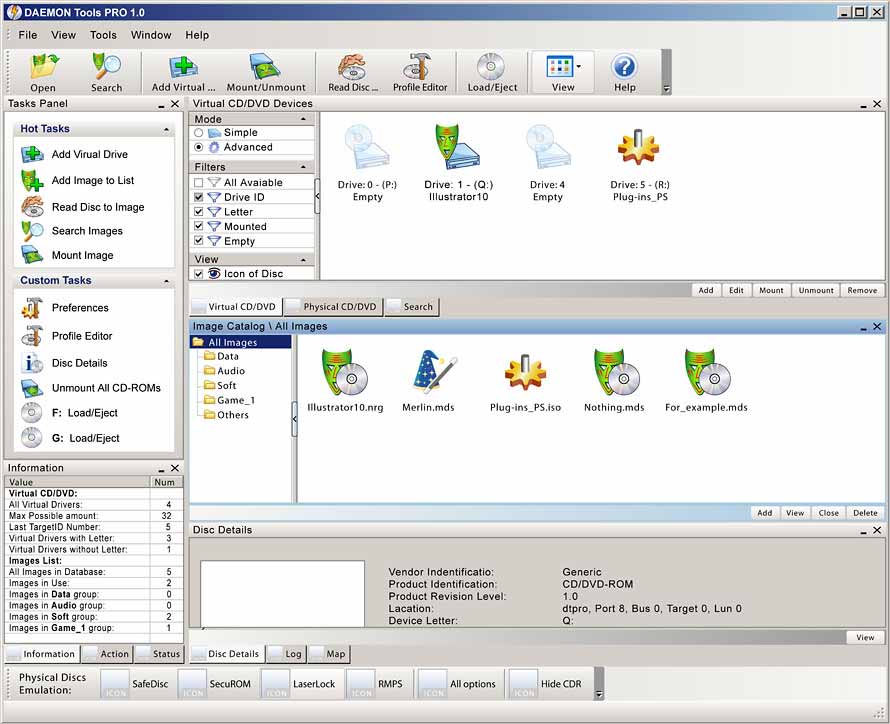
  Daemon Tools est un programme d'émulation pour faire tourner vos sauvegardes ayant la protection SafeDisc , Securom ou LaserLock. Il inclue un lecteur CD/DVDROM virtuel .

Changelog :

  • Included DT Panel with Internet search box and "Mount'n'Drive manager"
  • DT tray behaviour changed to DT Pro style
  • Languages are now changed more easily and more convenient
  • Fixed several bugs

    ( included is SPTD version Version 1.53 )


              Pour le téléchargement veuillez clicquez sur le logo ci-dessous !

                  Accéder à la page de téléchargement


vendredi 14 décembre 2007

DVDFab Platinum , Gold et Decrypter 4.0.2.0 Beta

Mise a jour de ce programme toujours GRATUIT ! DVDFab HD Decrypter remplace désormais  DVDFab Decrypter qui a les même fonctions et en plus supporte les fonctions HD-DVD et Blu-Ray ( Retire la protection AACS )

Change log :

- New: Added support for a new CORE X2 protection as found on "Next", (R2, Czech).
- New: Improved DVD structure cleaning module. Now DVDFab output is more compatible with other DVD programs.
- New: Improved PathPlayer to determine some special paths.
- New: Added support for Microsoft ZUNE and Xbox 360.
Please note you need have installed Windows Media Player 11 to use the feature.
- New: Added devices "ZUNE, NDS, Xbox 360 and PS3" to navigation bar.
- Fix: A problem that encoding speed slows down to zero in certain cases, for "DVD to Mobile".

                     Télécharger DVDFab HD Decrypter 4.0.2.0 Beta

  •       DVDFab Platinum est un logiciel tout en un pour copier/convertir/graver les DVD. En seulement une ou deux étapes, vous pouvez copier n'importe quel DVD sur DVDR/PSP/iPod/etc.

    DVDFab Platinum 3 est tout nouveau, complètement réécrit, et basé sur plus de 6 années de développement de logiciel de copie DVD.

    Principales fonctionnalités :
    A. DVD à DVD
    1. 7 modes de copie de DVD à DVD disponibles: Disque entier, Film principal, Diviser, Personnaliser, Cloner, Fusionner et Ecriture de données.
    2. Disque entier: Tous les films, menus et bandes-annonces, sont copiés sur un DVD en un seul clic.
    3. Film principal: Ne copie que le film, avec les langues/sous-titres choisis.
    4. Diviser: Copie un DVD-9 (double couche) sur deux DVD-5 (simple couche) avec une qualité de 100%, tout en préservant les menus originaux sur les deux disques. Idéal pour les DVD vidéo avec des épisodes/saisons, séries TV, etc.
    5. Personnaliser: Personnaliser vos DVD! Vous voulez faire un DVD en gardant seulement vos titres préférés? Ou bien enlever ces ennuyantes publicités? Ou bien sélectionner des langues/sous-titres spécifiques? Pas de problème! Vous pouvez sélectionner vos titres favoris, spécifier l'ordre de lecture des titres, avec ou sans les menus originaux, pour créer un DVD avec le contenu que vous voulez!
    6. Cloner: Faire une copie 1:1 bit-à-bit parfaite de DVDs:
      • Faire une copie parfaite des DVD double couche en utilisant la position originale du changement de couche.
      • Copier les disques DVD de données, comme les DVD PS2.
    7. Fusionner: Combiner plusieurs titres de plusieurs sources en un seul DVD:
      • Combiner 2 DVD-9 (double couche) comme par exemple "Le seigneurs des anneaux" en un seul DVD-9.
      • Fusionner les DVD par saisons pour avoir moins de disques.
      • Créez votre propre disque de collection avec caractéristiques spéciales.
    8. Vitesse de copie ultra rapide, normalement entre 10 et 20 minutes.
    9. Graver sur n'importe quel disque DVD vierge (DVD+R/RW, DVD-R/RW, DVD+R DL, DVD-R DL).
    B. DVD à Portable
    1. 6 modes de copie de DVD à Portables: Générique, iPod, PSP, Téléphone portable, PVP et PDA. Plus de support de périphériques peuvent être ajoutés manuellement.
    2. Générique: Convertit un titre DVD en un fichier MPEG-4/DivX/XVID/H.264 AVI/MP4. Prend aussi en charge les périphériques qui ne sont pas listés dans la barre de navigation.
    3. iPod : Convertit un titre DVD en un fichier Apple iPod MPEG-4/H.264 MP4.
    4. PSP : Convertit un titre DVD en un fichier Sony PSP MPEG-4/H.264 MP4.
    C. Avantages
    1. Enlève toutes les protections DVD, comme CSS, CPPM, RC, RCE, APS, UOPs, ARccOS, RipGuard, FluxDVD, CORE X2, etc.
    2. Constamment mis à jour pour fonctionner avec les dernières protections.
    3. Copie les disques rayés/sales:
      • Même si des informations (IFO) ne peuvent être lues, vous pouvez quand même copier le film principal ou le personnaliser.
      • Récupération des erreurs de lecture (VOB) DVD.
    4. Constamment mis à jour pour supporter les derniers graveurs de DVD et disques vierges.
    5. Constamment mis à jour pour supporter encore plus de périphériques portables.
    6. Mise à jour GRATUITE à vie.
    7. Mise à jour GRATUITE à vie par email, partout dans le monde.


    Recommandations système
    • Windows Vista/XP/2000/98/ME
    • Pentium II 500 MHz
    • 256 MB de mémoire vive
    • 10 GB d'espace disque libre
    • Un lecteur DVD-R(W) ou DVD+R(W)


        DVDFab Gold est un logiciel de copie très rapide et facile à utiliser. En un seul clic, vous pouvez copier n'importe quel DVD sur DVDR.

    Principales fonctionnalités
    A. DVD à DVD
    1. 4 modes de copie de DVD à DVD disponibles: Disque entier, Film principal, Diviser et Ecriture de données.
    2. Disque entier: Tous les films, menus et bandes-annonces, sont copiés sur un DVD en un seul clic.
    3. Film principal: Ne copie que le film, avec les langues/sous-titres choisis.
    4. Diviser: Copie un DVD-9 (double couche) sur deux DVD-5 (simple couche) avec une qualité de 100%, tout en préservant les menus originaux sur les deux disques. Idéal pour les DVD vidéo avec des épisodes/saisons, séries TV, etc.
    5. Vitesse de copie ultra rapide, normalement entre 10 et 20 minutes.
    6. Grave sur n'importe quel DVD vierge (DVD+R/RW, DVD-R/RW, DVD+R DL, DVD-R DL).
    B. Avantages
    1. Enlève toutes les protections DVD, comme CSS, CPPM, RC, RCE, APS, UOPs, ARccOS, RipGuard, FluxDVD, CORE X2, etc.
    2. Constamment mis à jour pour supporter les dernières protections.
    3. Copie les disques rayés/sales:
      • Même si quelques informations (IFO) ne peuvent être lues, vous pouvez quand même copier le film principal ou le personnaliser.
      • Récupération des erreurs de lecture (VOB) DVD.
    4. Constamment mis à jour pour supporter les derniers graveurs de DVD et disques vierges.
    5. Mise à jour GRATUITE à vie.
    6. Mise à jour GRATUITE à vie par email, partout dans le monde.

                   Pour Télécharger , cliquez sur l'image correspondant à votre choix !

                                 Télécharger DVDFab Platinum             Télécharger DVDFab Gold

  • PC Tools ThreatFire 3.0.13.9


     ThreatFire is an easy-to-use application designed to protect your computer against malware such as trojans, spyware, rootkits, keyloggers, and buffer overflows by intelligently detecting and blocking behavior consistent with that of malware. ThreatFire does this by constantly monitoring your system, and analyzing programs and process activity. Whenever ThreatFire detects any unusual process or activity, it will display an alert with further information on the threat. If it is a known threat, then ThreatFire will automatically quarantine the malware and no further action is required on your part.  If the threat is unknown, or new, then ThreatFire will display an alert and prompt you to Allow or Quarantine the process.  All alerts provide detailed information to help you make an informed decision.

    New features:
    - Cyberhawk is now named ThreatFire, which has a new look and feel and is branded as a PC Tools product. The basic product layout and functions are similar to the older version, so hopefully it will be easy to make the switch to ThreatFire.
    - Certain features previously found only in Cyberhawk Pro are now available in the new free product: ThreatFire Free Edition. These features include malware quarantine and removal, advanced custom rules, the rootkit scanner, and the built-in search on ThreatFire alerts which allows you to find out additional information on a threat.
    - The “potentially malicious” alerts (yellow alerts) now give the option to Allow or Quarantine, instead of Allow or Deny. This is because ThreatFire is now able to quarantine any threats it detects, not just threats that were classified as “known” malware.
    - The new Pro version includes the on-demand scanning piece of PC Tools AntiVirus so that you can scan your system for dormant threats that may not be caught by ThreatFire’s real-time behavior-based protection. This AV scanner greatly increases the overall protection offered by ThreatFire and offers protection from a full spectrum of both known and unknown threats.
    - Greatly improved the overall protective capability of ThreatFire since the Cyberhawk v. 2.04 release.
    - Fewer false positives.
    - Miscellaneous other program fixes.


    Known issues:

    • Quarantine is not fully functional before rebooting.
    • Uninstalling after having run a system scan still leaves some files.
    • Advanced Rules for the registry are not fully functional
    • Suspending ThreatFire does not fully suspend the product and you may still see an alert on the thread injection rule.


    Notes:
    ThreatFire is the new name of the behavior-based anti-malware program formerly known as Cyberhawk. With this release of v. 3.0 and going forward, the program will be known as ThreatFire and support for Cyberhawk will be shifted to ThreatFire.


    Important note to current Cyberhawk users:
    Due to the changes included in this newest release, it is not possible to have both Cyberhawk and ThreatFire installed at the same time. Please be sure to first uninstall Cyberhawk before you install ThreatFire.


    There are two versions available:

    ThreatFire Free Edition and ThreatFire Pro.
    The free version will be available for home and business users completely free of charge. The Pro version includes a new on-demand antivirus scanner (from PC Tools AntiVirus) for additional protection and cleanup capability.

               Traditional Security Product Solo vs. Traditional Product with ThreatFire


    *Results produced by testing over 1300 malware threats collected from the ThreatFire Security Community and secured from other 3rd party sources. Competitor products tested were Trend Micro Internet Security 2007, Webroot Spy Sweeper with Antivirus v. 5, CA Internet Security 2007, Norton Internet Security 2007, and McAfee Internet Security 2007, all with the latest available updates as of the date of test.

                                                   Download ThreatFire Now

                                       Télécharger PC Tools ThreatFire 3.0.13.9

    jeudi 13 décembre 2007

    Xbox 360 HD DVD Emulator Now Available


    The Xbox 360 HD DVD Emulator is now available! The emulator is downloaded through Xbox LIVE Marketplace on your existing Xbox player. The Xbox 360 HD DVD Emulator can run projects from an optical disc, an external USB drive, or from a network drive, and logs API calls, errors, warnings, and exceptions with time code information to a networked PC. The emulator also comes with support provide through the Microsoft Connect site.

    View: More Information

    Advanced WindowsCare v2 Personal 2.5.7.833

    Advanced WindowsCare Personal Edition


                                                   100% Free Download !!


             This comprehensive PC-care utility has a one-click approach to helping protect, repair and optimize your PC. Advanced WindowsCare Personal Edition helps protect, optimize, and repair your PC with daily use.


             Features of this fantastic, award-winning, 100% free program include:

    • Ending slow downs, freezes, crashes, and security threats.
    • Scanning and finding what other utilities miss on your PC.
    • Keeping your PC error-free and running more smoothly than ever.
    • Designed for Windows Vista, XP, and 2000.
    • Over 5,000,000 downloads since 2006.
    • Availability is free of charge for private use.
    • Plus, Advanced WindowsCare Personal is 100% safe and clean with no adware, spyware, or viruses.

    Start PC repairs for free with Advanced Windowscare Personal Edition

    Windows Vista Service Pack 1 RC1 Public


    Windows Vista SP1 Release Candidate through Windows Update
    Windows Vista Service Pack 1 (SP1) Release Candidate (RC) is available through Windows Update. Please read the following instructions before you install.
    Before You Install

    • You must uninstall any previous versions of Windows Vista SP1 before installing Windows Vista SP1 RC
      To uninstall previous version of Windows Vista SP1
      1. Open the Programs and Features control panel and select View installed updates. In the Microsoft Windows section, righ-click Service Pack for Windows (936330) and select Uninstall.
      2. Your system will now uninstall the previous version of Windows Vista SP1 Beta and may reboot multiple times.
      3. Please wait one hour after uninstalling a previous version of Windows Vista SP1 before installing Windows Vista SP1 RC. The installer service needs to clean up and complete the uninstall prior to installing the RC. Failing to do this can result in installation errors when installing the RC version.
    • Windows Vista SP1 RC is pre-release software and will change before the final release. Windows Vista SP1 RC is for individuals, organizations, and technical enthusiasts who are comfortable evaluating pre-release software and is provided for testing purposes only. Microsoft does not recommend installing this software on primary or mission critical systems. Microsoft recommends that you have a backup of your data prior to installing any pre-release software.
    • Windows Vista SP1 RC is time-limited software.
      Windows Vista SP1 RC will no longer operate after June 30, 2008 and should be uninstalled prior to that date. After installation your desktop will show the text “Evaluation Copy”. This does not mean that your system is no longer genuine but that you have installed a test version of software which is time-limited. The “Evaluation Copy” text will appear on your desktop after the second reboot after installing the service pack. Likewise, the “Evaluation Copy” text will remain on your desktop during the first reboot after uninstall the service pack, but will disappear after the next reboot.
    • If you install Windows Vista SP1 RC it is strongly recommended that you install the final version of Windows Vista SP1 when it is released. To do this, you will be required to uninstall this RC version of Windows Vista SP1.
    • Assisted support (phone, email and online chat) is not available from Microsoft Help and Support for this RC release of Windows Vista SP1. Self-help and peer support is available through the Windows Vista SP1 forum.
    • You must have a genuine copy of Windows Vista installed prior to installing Windows Vista SP1 RC.

    The Windows Update Experience
    Windows Vista SP1 RC requires the installation of either two or three prerequisite updates prior to installing the service pack itself. These prerequisite updates will be delivered to most users over Windows Update as part of regularly scheduled monthly updates prior to the release of the service pack. This will help ensure that reboots required by the prerequisite updates occur with other updates that require a reboot. However, because these prerequisite updates have not been released, installing Windows Vista SP1 RC will require 3 to 4 separate installations over Windows Update. Please note that the instructions below are primarily required for the RC installation and will not be required for most users using Windows Update to install the final Service Pack.
    The prerequisite updates consist of two updates which service specific Windows components prior to the installation of the service pack and a third update which services the installation software built into Windows Vista. The following are the prerequisite updates.
    • KB935509 This updates is only required on Windows Vista Enterprise and Windows Vista Ultimate editions (which have Bitlocker capabilities). This update is required prior to installing KB938371, the second prerequisite update and is required to prevent potential loss of data on Bitlocker encrypted systems during updating.
    • KB938371 This update consists of fixes for several components (including the TrustedInstaller), increases the success rate for installing the service pack and enables the service pack to be uninstalled successfully.
    • KB937287 This is an update to the “Servicing Stack” or the Windows Vista component installer technologies built into Windows Vista. This update enables the built-in installer to properly and successfully install the service pack.

    Installing the Sevice Pack
    There are two ways to install the service pack, first, as a pop-up notification that the service pack is ready to be installed (this is the method in which most users will install the service pack) and using multiple manual installations from Windows Update. The first method is the simplest, but may take up to four days for the Windows Update Automatic Update feature to deliver each of the 3 prerequisites and the service pack. Windows Vista SP1 distributed through Windows Update will be applicable to Windows Vista machines that are running on any of the 36 languages supported by Windows Vista RTM.
    Method 1: Automatic Update
    You can install Windows Vista SP1 RC using the Automatic Update process by following these steps.
    1. Save the included SP1cppRK.cmd script to your machine.
    2. Right-click on the script and select Run as administrator. The script will set a registry key on your machine that allows Windows Update to offer Windows Vista SP1 RC to your machine.
    3. From the Windows Update control panel, select Change settings.
    4. Verify that Install updates automatically (recommended) is selected. This enables the Automatic Update feature to download and install the prerequisite updates and service pack automatically.
    5. Windows Update Automatic Update will automatically update your machine over the next several days with the prerequisites updates. When the service pack has downloaded a pop-up notification will inform you that updates are ready to be installed. You must click on this notification and choose to install the service pack at this point. The service pack will not silently or automatically install itself.

    Method 2: Manual Installation using Windows Update
    To intall Windows Vista SP1 RC as quickly as possible, follow the steps below.
    1. Save the included SP1cppRK.cmd script to your machine.
    2. Right-click on the script and select Run as administrator. The script will set a registry key on your machine that allows Windows Update to offer Windows Vista SP1 RC to your machine.
    3. Windows Update Automatic Update will automatically update your machine over the next several days with the prerequisites updates provided you have the Windows Update Automatic Update feature enabled. When the service pack has downloaded a pop-up notification will inform you that updates are ready to be installed. You must click on this notification and choose to install the service pack at this point. The service pack will not silently or automatically install itself.
    4. To manually install the service pack, start by installing all Important updates applicable to your system and the prerequisite updates. You may have to repeat this several times to fully update your system by opening the Windows Update control panel and selecting Check for updates. Note: If your system is managed by a administrator and has a Windows Server Updates Services (WSUS) server for updates, you need to use the Check online for updates option of the Windows Update control panel. If this option is not available, your administrator may have disabled this functionality.
    5. If you have Windows Vista Ultimate or Windows Vista Enterprise, Update for Windows Vista (KB935509) should be in this list. If you have any other version, Update for Windows Vista (KB938371) should be in this list. Install these updates and reboot your machine when prompted.
    6. If you do not have Windows Vista Ultimate or Windows Vista Enterprise Update for Windows Vista (KB938371) should be in the list first and Update for Windows Vista (KB935509) is not required. Note: If you reboot and immediately check for updates you may not see all updates. This may be caused by the installer service completing the installation of the prior update. Please wait 5-10 minutes and check for updates again.
    7. Install Update for Windows Vista (KB937287). Update for Windows Vista (KB937287) does not require a reboot.
    8. Wait for 10-15 minutes before checking for updates again to enable the installer to complete its installation.
    9. Check for updates again and install Service Pack for Windows (KB936330).

      System Requirements :

      • Supported Operating Systems: Windows Vista; Windows Vista Business 64-bit edition; Windows Vista Enterprise 64-bit edition; Windows Vista Home Basic 64-bit edition; Windows Vista Home Premium 64-bit edition; Windows Vista Ultimate 64-bit edition

        Informations supplémentaires :

        Uninstall Instructions for Windows Vista SP1 RC:
        Windows Vista SP1 RC does not support build-to-build upgrades. If you install this build to your system, you need to uninstall it before moving to the final Vista SP1 RTM version.
        Prerequisite packages (KB935509, KB937287 and KB938371) for Window Vista SP1 are permanent and uninstall of these packages is disabled by design. During the installation of Windows Vista SP1 RC, the installer determines whether or not you need the prerequisite packages and updates your system automatically.
        To uninstall Windows Vista SP1 RC use the following steps:

        1. Click on the Start Menu and go to Control Panel
        2. Double click on Programs and Features
        3. On the left side menu, select View Installed Updates
        4. Under the list of Microsoft Windows, select Service Pack for Windows (KB936330)
        5. On the top menu, click on Uninstall

                                           Download Windows Vista Service Pack 1 RC1 Public

    Source : Microsoft / Steeve