mercredi 30 janvier 2008

Ultimate Boot CD 4 for Windows v.3.11


Ultimate Boot CD for Windows ( UBCD4WIN ) is a bootable recovery CD that contains software used for repairing, restoring, or diagnosing almost any computer problem. Our goal is to be the most complete and easy to use free computer diagnostic tool. Almost all software included in UBCD4Win are freeware utilities for Windows®. Some of the tools inlcuded are "free for personal use" copies so users need to respect these licenses. A few of the tools included in UBCD4Win are paid for and licensed software owned by UBCD4win. On occasion we work with software companies/authors for permission to include their software in our download or have requested their software better support PE. Users can freely share copies of UBCD4Win with friends but selling UBCD4Win for a profit is not acceptable. We have worked hard for many years helping people for free with this project, others should not make money from our hard work. If you are a dialup user having a hard time downloading UBCD4Win, please visit our ordering page. UBCD4Win is based on Bart's PE©. Bart's PE© builds a Windows® "pre-install" environment CD, basically a simple Windows® XP booted from CD. UBCD4Win includes network support and allows you the ability to modify NTFS volumes, recover deleted files, create new NTFS volumes, scan hard drives for viruses, etc. Our download includes almost everything you need to repair your system problems. This project has been put together to be the ultimate recovery cd and not a replacement OS (Operating System). Please visit the "List of Tools" page for a complete list of what is included in the latest version of UBCD4Win.

There are requirements for building this CD which can and may make it difficult for everyone to build the project. Please understand that these requirements and restrictions are due to copyright laws, etc. When starting this project I wanted it to be as easy as possible. I wanted it to be a simple ISO file download just like the original Ultimate Boot CD. I had to weigh the ease of build and functionality very carefully. After much thought and research I decided that Bart's PE© was the best way to accomplish this task. That decision required a different type of build and more steps for the end user. Yes more complicated, but I prefer to think of these additional steps in a positive way. We provide detailed instructions and our forum for help. Inexperienced users will feel a sense of accomplishment and gain knowledge when they successfully build the CD.

Changelog :

  • Feature- CMD file changes for a new "update" folder and Plugin Refresh tool
  • Feature- Plugin Refresh for plugins that need to refresh the "plugin" page, by Tom
  • Added- Fix HDC
  • Added- Kaspersky Virus Removal Tool
  • Added- Localization plugin for German, by Joshua
  • Added- Penetcfg Network Config Tool, by Tom
  • Added- Quick 'n Easy FTP Server 3.1
  • Added- Vista Recovery Console (MultiBoot addon)
  • Updated- 7-zip 4.57
  • Updated- A-Squard 3.1.0.9
  • Updated- AusLogics Defrag 1.4.11.275
  • Updated- CCleaner 2.03.543
  • Updated- CPU-z 1.42
  • Updated- Defraggler 1.1.0.50
  • Updated- DriverPacks 8.01
  • Updated- Filezilla 3.0.4.1
  • Updated- FireFox 2.0.0.11
  • Updated- freecommander 2007.10a
  • Updated- NotePad++ 4.7.5
  • Updated- Opera 9.25
  • Updated- Recuva 1.09.194
  • Updated- RunScanner 1.0.0.20
  • Updated- SIW 1.73
  • Updated- Spybot 1.5.1.18 (beta 2) -addresses "slow" issues
  • Updated- TestDisk 6.9
  • HashCheck: spelling error
  • XML corrections for AVG and Avira
  • PPPOE update,no enable/disable for different sources necessary
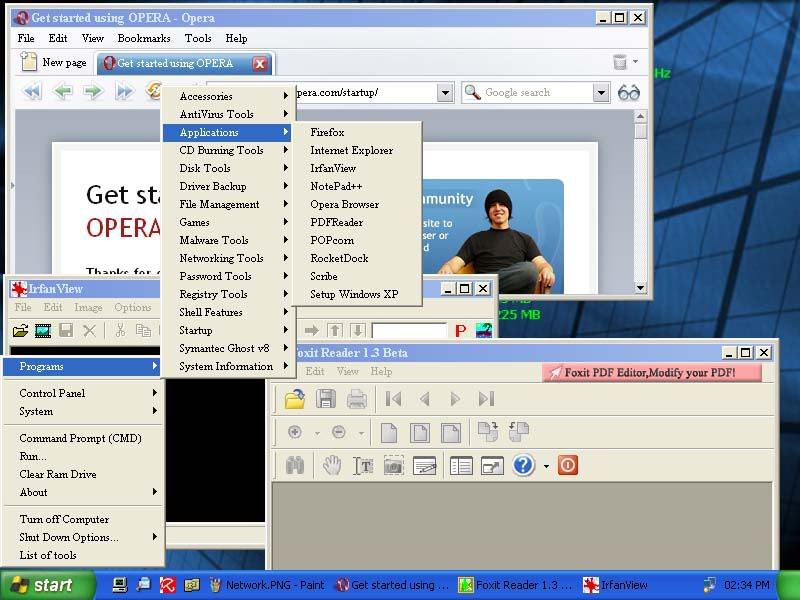
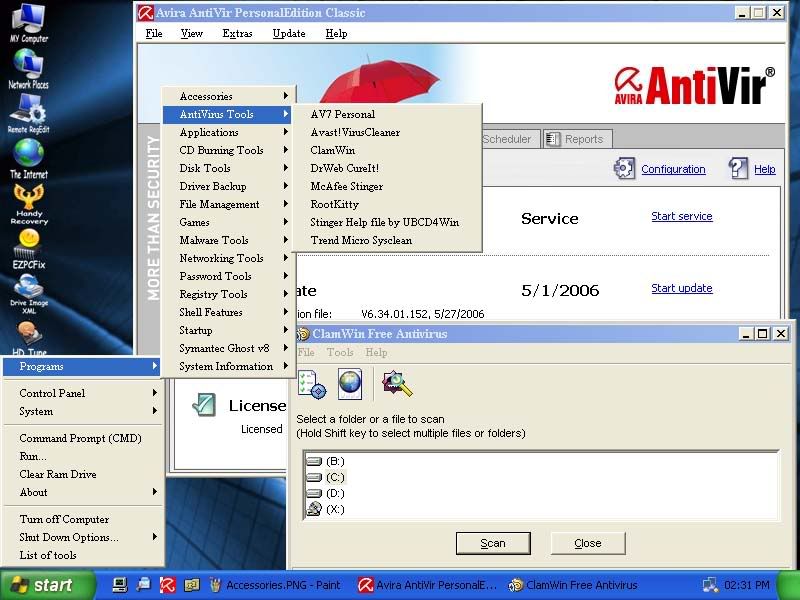
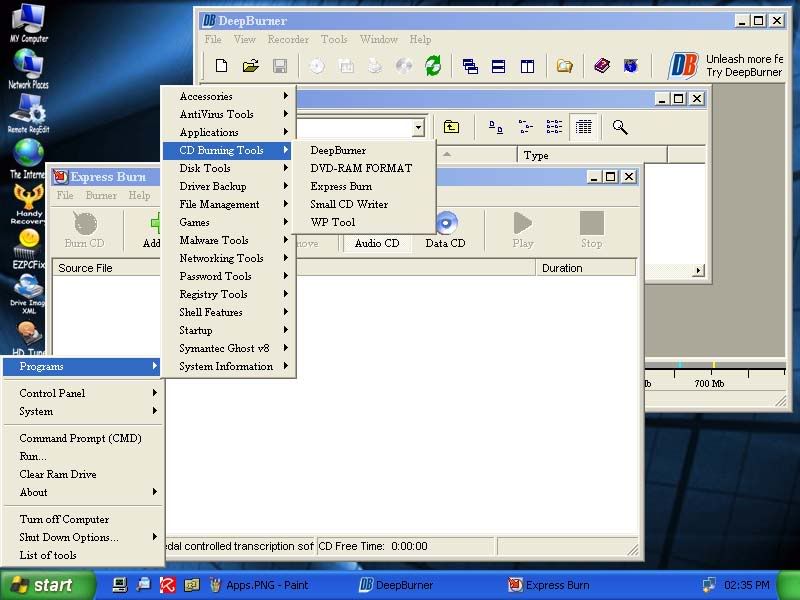
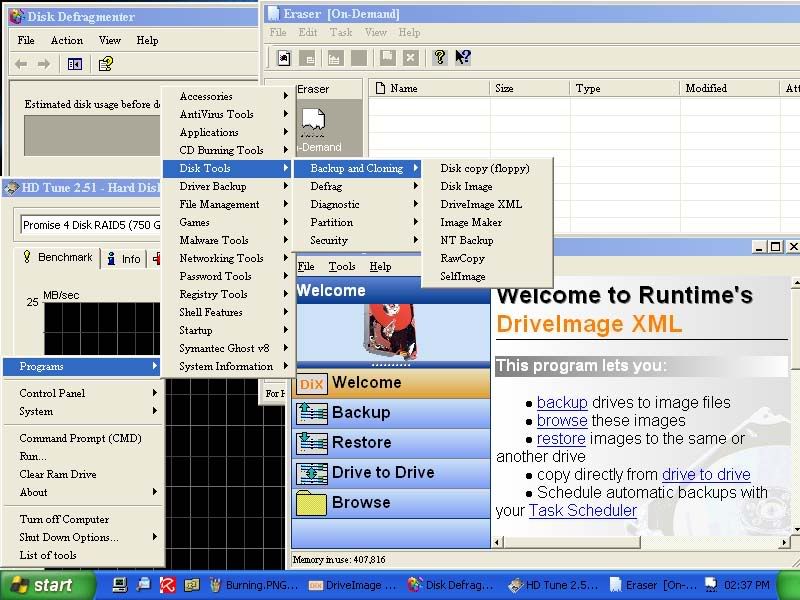
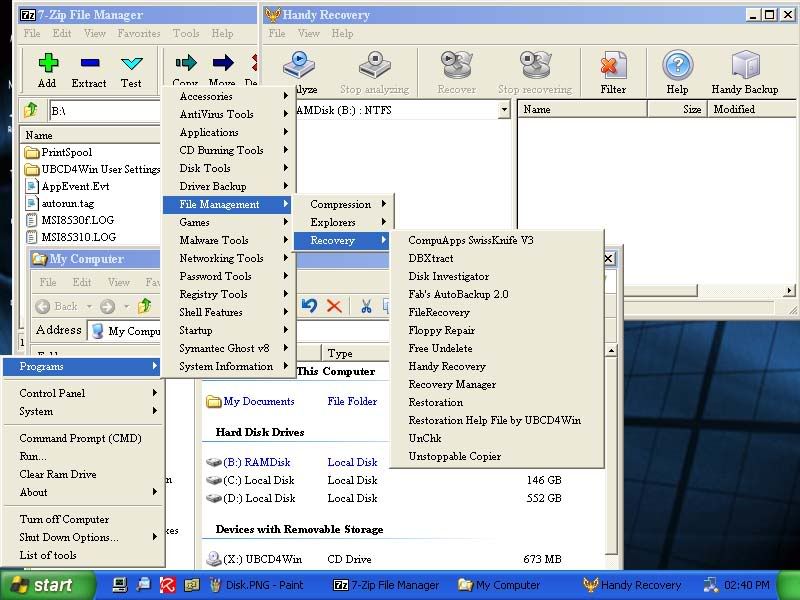
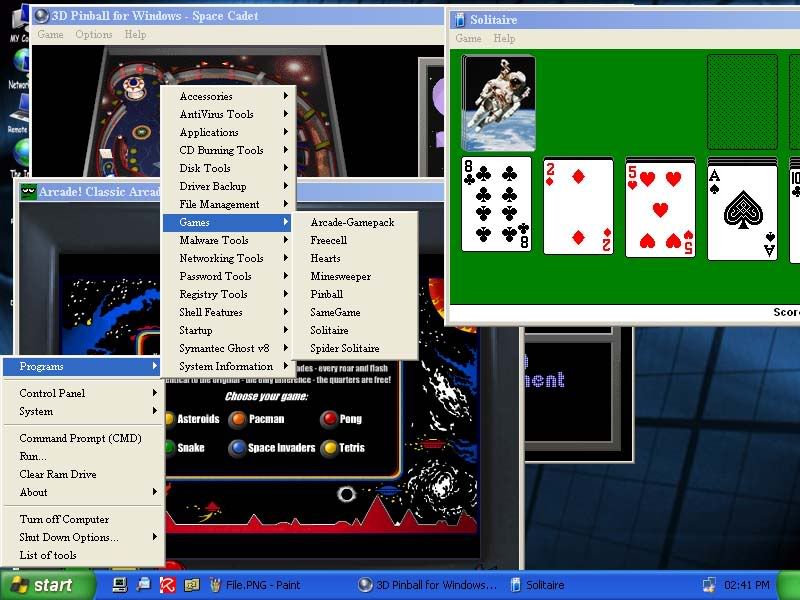
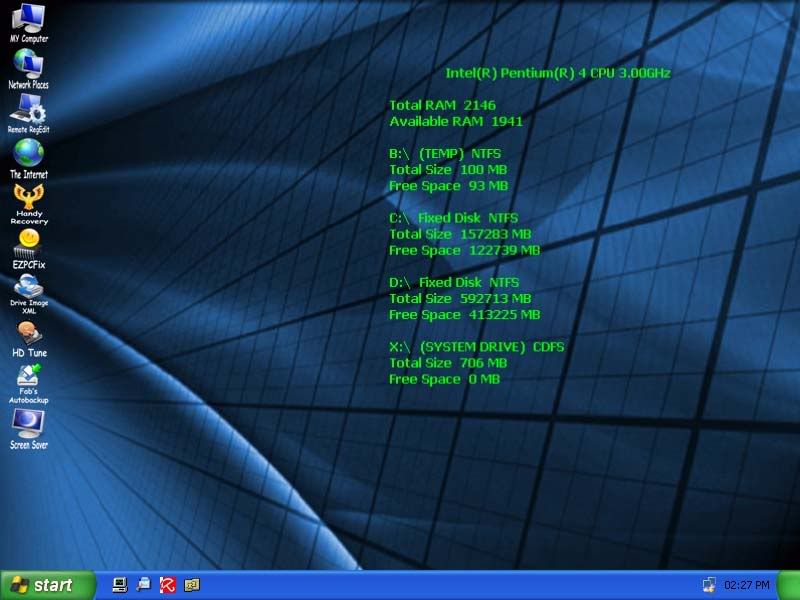
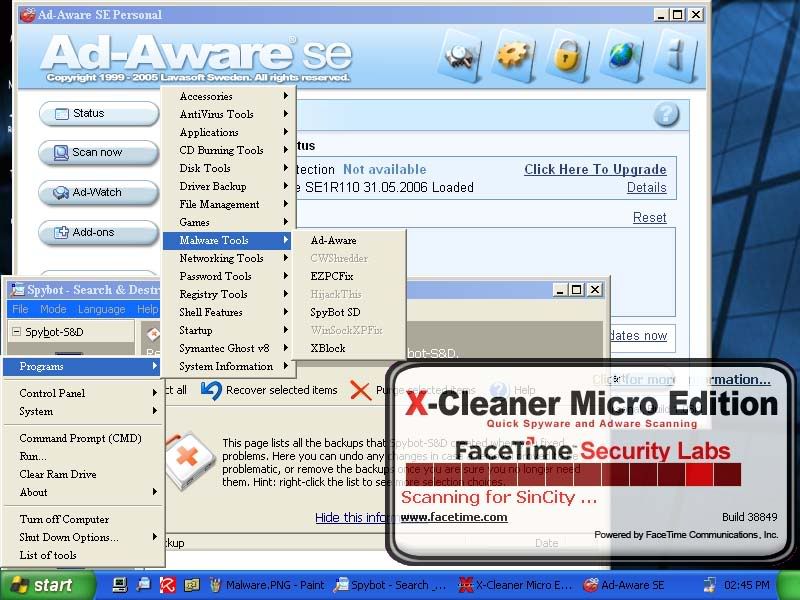
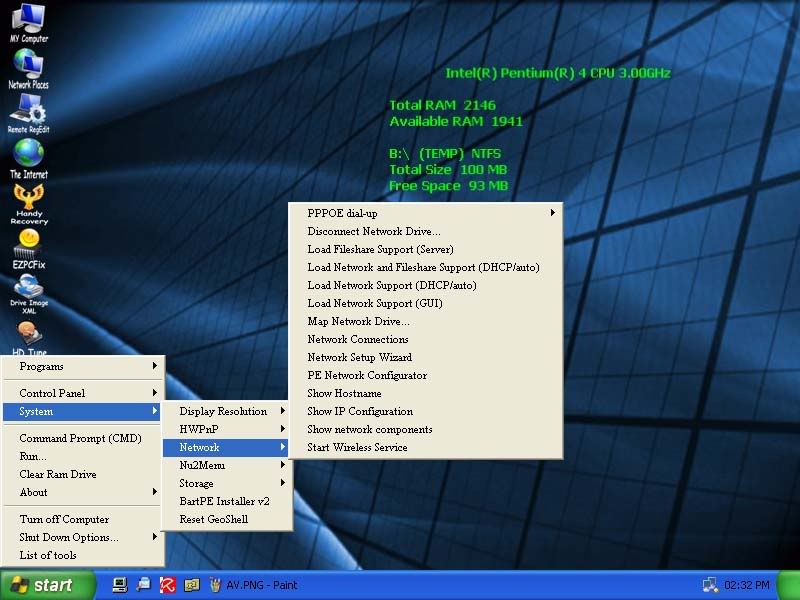
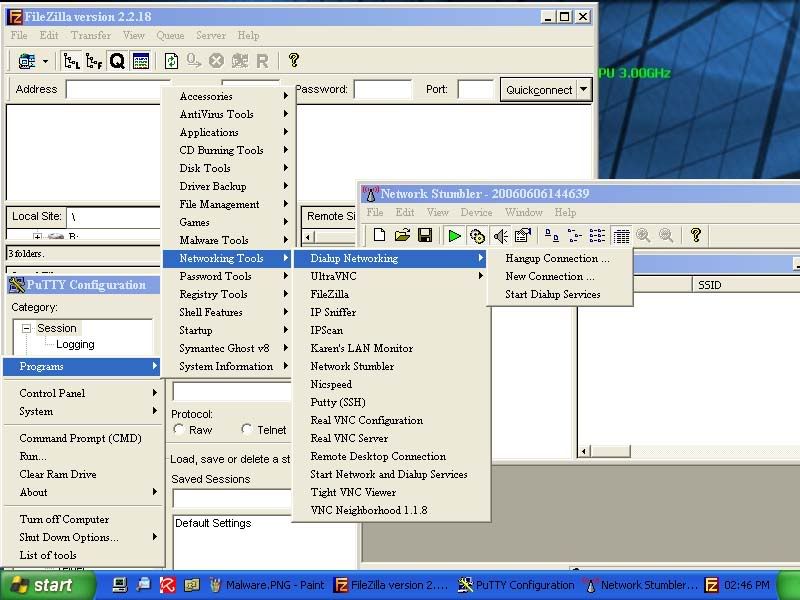
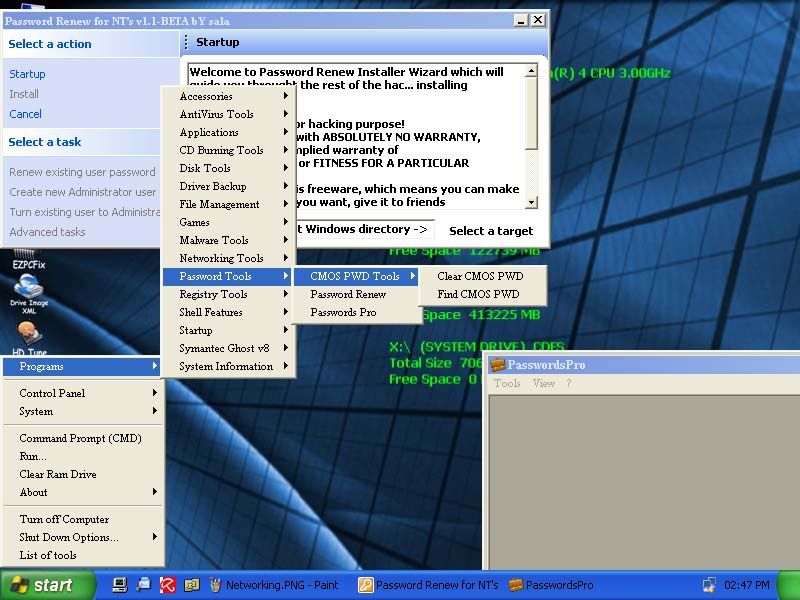
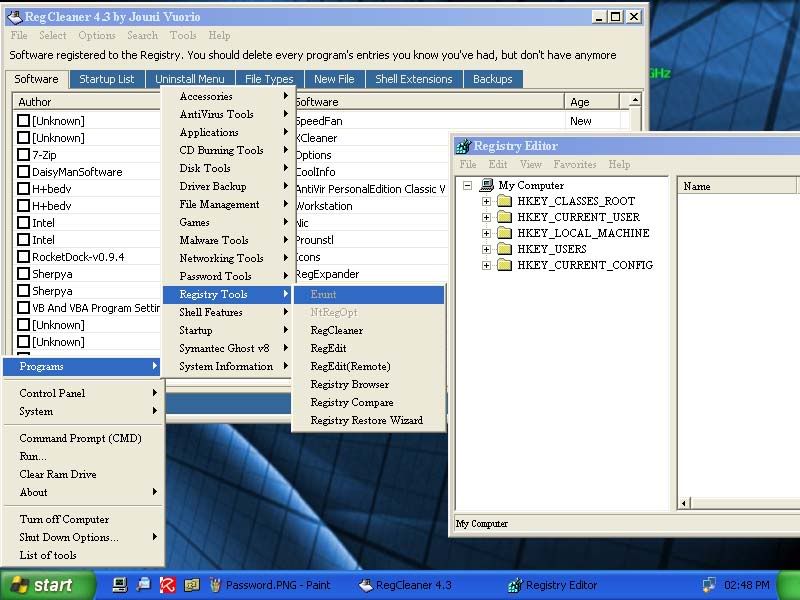
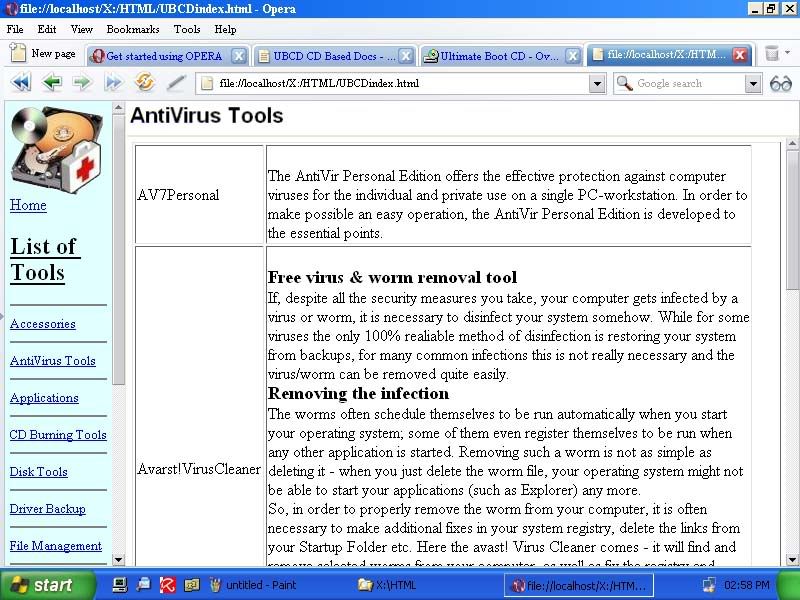
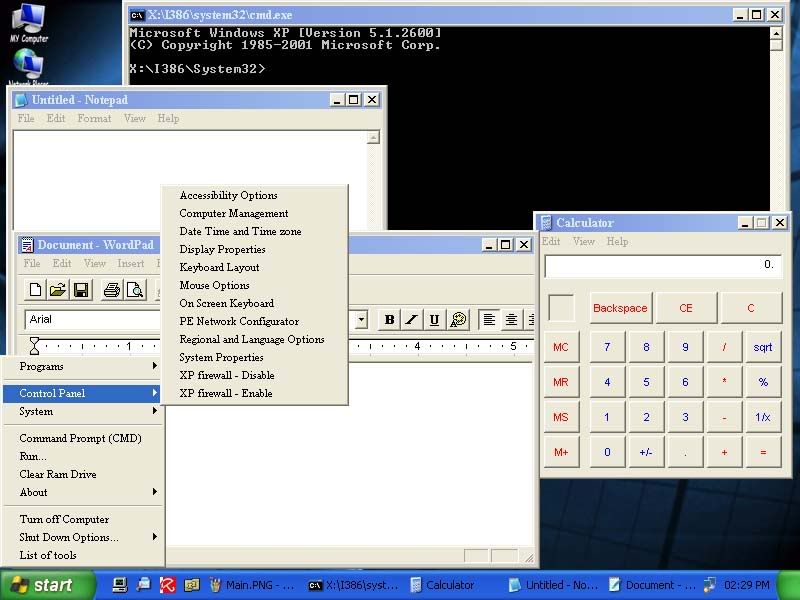
    Here are some screen shots of Version 3.0
                  Please click on a thumbnail to view the full size picture.


        Télécharger Ultimate Boot CD 4 for Windows v.3.11         

  • mardi 29 janvier 2008

    Spybot - Search & Destroy v1.5.2.20 Final

                           Spybot - Search & Destroy détecte et supprime le spyware (les espiongiciels), une sorte de menace relativement nouvelle que les programmes anti-virus habituels ne traitent pas encore. Le spyware espionne silencieusement toutes vos actions lorsque vous surfez, de façon à créer votre profil commercial, à le transmettre à votre insu et à le vendre à des sociétés de publicité. Si vous voyez dans votre Internet Explorer des barres d'outils que vous n'avez pas installées intentionnellement, si votre navigateur se plante de façon inexpliquée, ou si la page de démarrage de votre navigateur a été "piratée" (ou modifiée à votre insu), votre ordinateur est probablement infecté par du spyware. Mais même si vous ne voyez pas ces symptômes, votre ordinateur peut être infecté, parce qu'il se crée de plus en plus de spyware. Spybot-S&D est gratuit, donc pourquoi ne pas essayer de voir si quelque chose a envahi votre ordinateur.

    Pour voir une liste des menaces que Spybot-S&D peut supprimer, cliquez sur Support , puis sur Menaces. Si vous cherchez une présentation de Spybot-S&D, veuillez lire le Guide. Si vous redoutez des incompatibilités avec d'autres logiciels que vous utilisez actuellement, bien que nous puissons vous garantir qu'il n'y a aucun danger, vous pouvez parcourir notre aperçu des compatibilités qui liste des logiciels dont la compatibilité a été étudiée.

    Spybot-S&D peut aussi effacer les traces d'utilisation, une fonction intéressante si vous partagez votre ordinateur avec d'autres utilisateurs et si vous ne voulez pas qu'ils sachent ce que vous avez fait. Et pour les utilisateurs professionnels, Spybot-S&D vous permet de corriger certaines incohérences du registre et de créer des rapports complets. Vous pouvez voir une liste de toutes les fonctions de l'application en cliquant sur Caractéristiques.                                                                         

        Télécharger Spybot - Search & Destroy v1.5.2.20 Final         

    Kantaris Media Player 0.3.2

    Kantaris est un tout nouveau lecteur Multimédia basé sur les codes de Videolan client (VLC) . Kantaris a une interface graphique similaire ressemblant à  Windows Media Player.

    Celui-çi peut lire les formats suivants : AVI, MPEG, MGEG-AVC, WMV, MOV, MKV, Quicktime, Matroska, Divx, Xvid, H264, MP3, WMA, OGG. ainsi que les DVDs et CDs audios.

         Télécharger Kantaris Media Player 0.3.2     

    lundi 28 janvier 2008

    Vista Codec Package 4.5.7 Final


    Codecs have always been a big problem for the computer users. That's because there has never been a 100% viable working solution available for the average computer user. There are several good codec package solutions out there, but none of them did everything i wanted. I was always in need of a tweak, adjustment, or even a reinstallation just to get the codecs I needed/wanted and most of the time, the file still didn't play. I've never claimed to be a media guru. My media experience is to doubleclick a file  , I downloaded and hope that it plays. What I do know is how to package software. So I decided to package some codecs and share them with the rest of the world. With this package all possible conflicts are already dealt with. Many user suggested default settings are implemented.

    Troubleshooting installation problems :

                                7zip error
    To solve the above issue, rightclick the downloaded file and from the dropdown list choose 'Run as administrator'
                
    VISTA USERS: please research User Account Control
    Users may choose to use this program to temporarily disable UAC
    and then right-click on the downloaded installer and choose 'Run as administrator'
               
    When installing VCP you must choose the language that matches your operating system.
    To solve the issue, re-install the same version that's on your system with the correct language.
              
    To correct this issue, download and execute the latest installer and it will offer to UPGRADE your current installation.

    If you . . .
    - are receiving an error message about xvidcore.dll installing the current release will correct it.
    - have COM_Surrogate errors, upgrade any DivX products you have with a current release. Upgrade Nero to 8.x
    - installed XviD or FFDshow on your own other than the versions included in this package may also cause issues.
    - have problems with the functionality one specific program, try installing it AFTER the codec package to resolve it.
    Audio output and Speaker setup (Vista)
    for DVD settings and audio such as AC3 Dolby Digital 5.1 surround
    Open the AC3filter configuration shortcut, in the upper left you will see, Output format -
    the default setting is : AS IS (no change) ..... you may set it as you wish.
    All other audio playback
    Open the Audio decoder configuration shortcut, scroll the left window down to 'Mixer',
    place a check in the 'Mixer' box, and in the righthand window select you speaker setup in the drop down list
    Then check the box for LFE if you have a subwoofer attached.
    To use SPDIF output
    Go into Vista's Control Panel and navigate Sound/SPDIF/Properties/Advanced/Exclusive Mode
    (depending on your sound device, the above path may be a bit different but similar)

    Then CHECK the box [x] for the following 2 items
    'allow applications to take exclusive control of this device'
    'give exclusive mode applications priority'
    If you are experiencing choppy or stuttering sound
    Go into Vista's Control Panel and open the Sound applet
    Select your output device in the list that appears
    NOTE: the default output device is commonly labeled Speakers
    Right click on the device and from the context menu click Properties.
    Click on the Enhancements TAB.
    Then CHECK the box [x] for Disable all enhancements.
    NOTES on certain types of playback
                     DVD error
    If Windows fails to playback DVD's install Media Player Classic from the Tools section below to play DVD's.
    Some MPEG (mpg) files will require you to use the shortcuts provided for CLASSIC playback and vice-versa to MODERN.
    Some MOV files will require you to use the shortcuts provided for CAMERA or return it to the DEFAULT.
    To playback *.ASF files in Vista's Media Player 11 or Media Center change the file extension to ASX.
    To playback *.VOB files in Media Player 11 or Media Center change the file extension to MPG.


    If you require further assistance, visit the forums at    "Where People Go To Know"
    To contact me directly use the button to reveal an email address that I monitor regularly.
    Here is a Microsoft document about video THUMBNAIL views in Vista. (excellent description)

    It does not contain a media player and it does not associates filetypes. With this package installed you will be able to use any media player, limited only by the players' capabilities, to play DVD's, movies and video clips of almost any filetype. Streaming video is supported in several formats in all popular web browsers. Users of VCP have the ability to choose what is installed and where to install it using the public redistributable. After installation you can select to remove specific portions without removing the entire package. You can also re-add the removed items at any time. Future releases will recognize previous installations and offer to upgrade them.


    This package supports 17 localized installations. The default is English and the installer includes support for the following other languages; Chinese Simplified/Traditional, Japanese, Czech, Dutch, Finnish, French, German, Greek, Italian, Portuguese, Russian, Spanish, Polish, Swedish and Turkish. Languages can be added upon request.

    Changelog :

      - update madFLAC codec 1.7
      - update ffdshow rev 1817
      - update several splitters


    dimanche 27 janvier 2008

    VSO Inspector 1.4.0.0

       Ce petit mais pratique programme gratuit vous servira a connaitre les caractéristiques techniques de votre graveur , le genre et type de Média que vous vous servez ainsi qu'une analyse du média inséré.


           Télécharger VSO Inspector 1.4.0.0